
When more than one person works on the same WhatsApp number, you need to decide what each person can do. In WhatsApp team roles you create roles such as “Customer service” and “Marketing”, give each role specific permissions, then add team members under those roles.
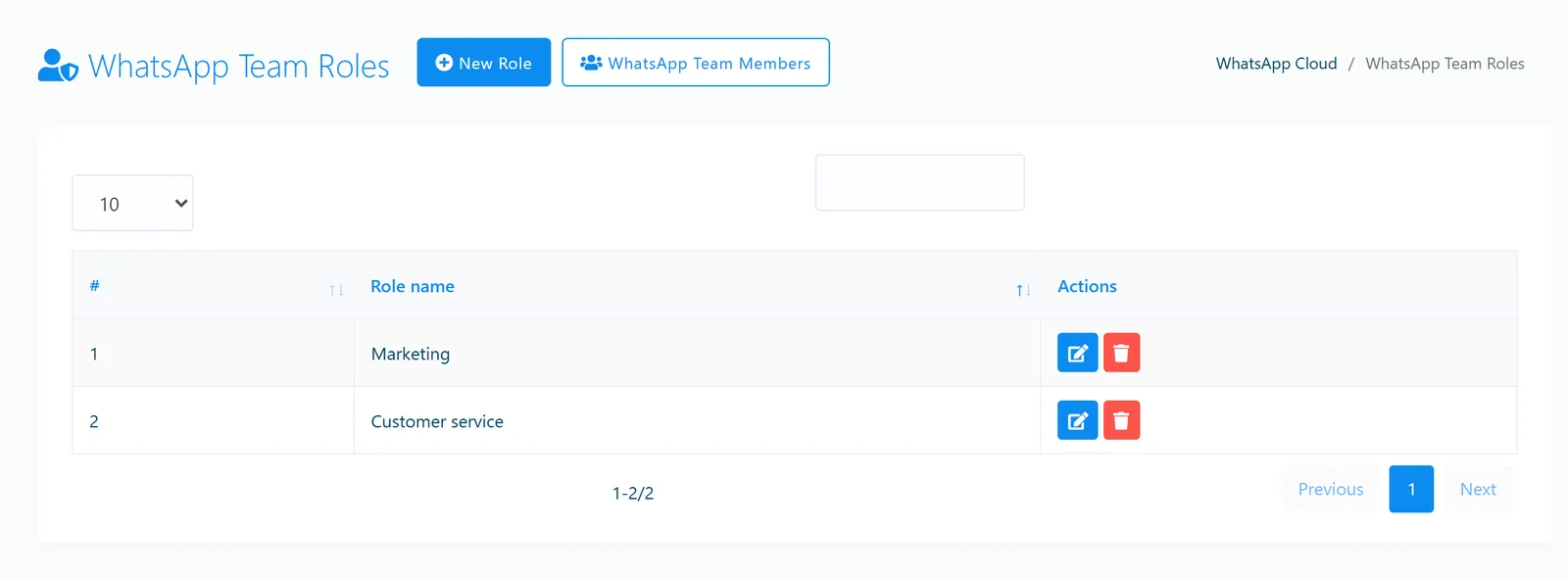
Create a new role
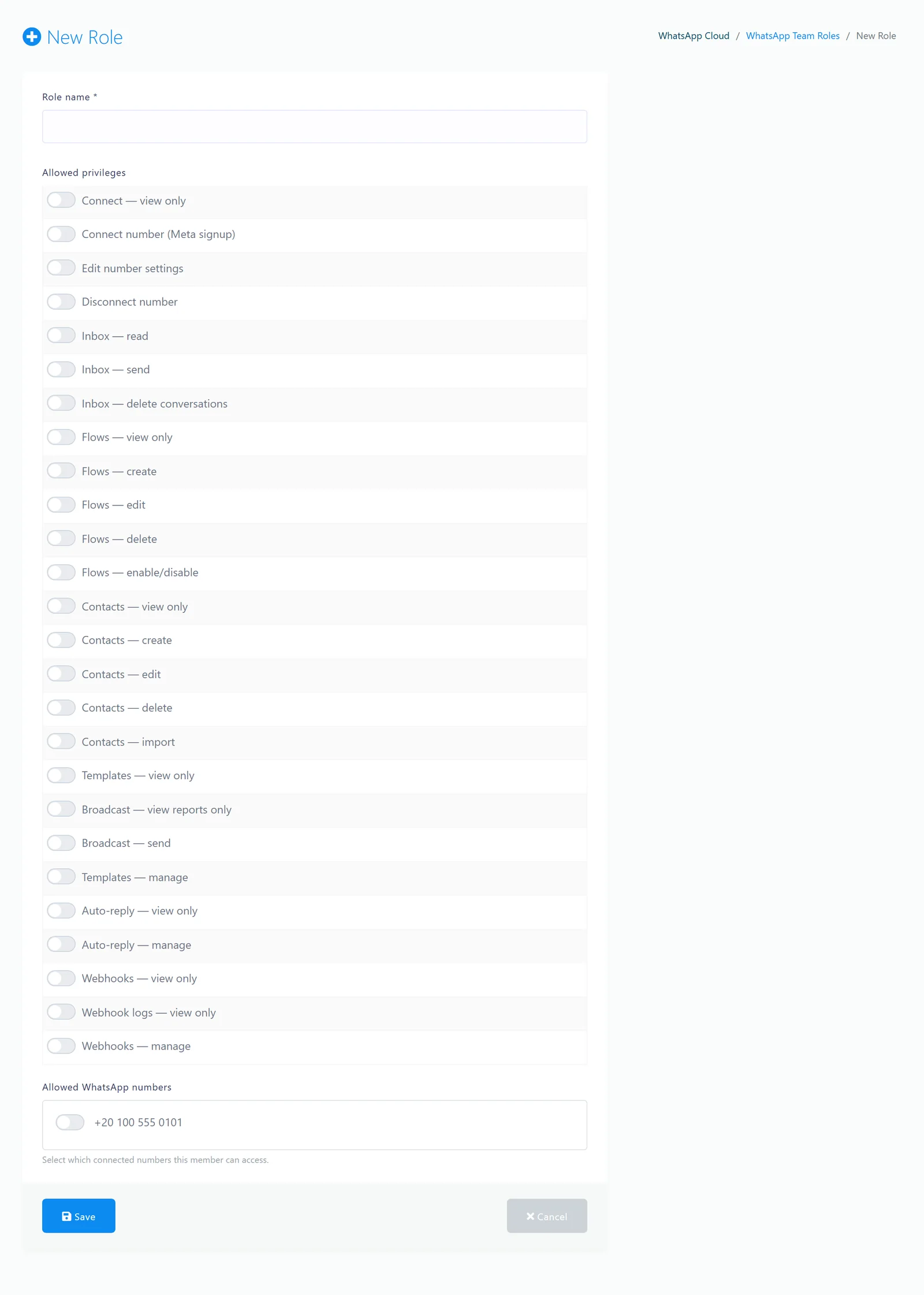
Click New role, enter the role name, then choose the permissions. They are grouped by tool:
- Connection: view only, connect a number, edit number settings, or disconnect it.
- Inbox: read, send and delete conversations.
- Flows: view, create, edit, delete, and turn on or off.
- Contacts: view, create, edit, delete and import.
- Templates: view only or manage.
- Broadcast: view reports only, or send.
- Auto reply: view only or manage.
- Webhooks: view only, view logs, and manage.
Finally, choose the allowed WhatsApp numbers for this role if you have more than one, and click Save.
Examples of common roles
- Customer service: Inbox (read and send), Contacts (view and edit), Templates (view only).
- Marketing: Broadcast (send), Templates (manage), Contacts (view and import).
- Bot manager: full Flows and Auto reply permissions, without the Inbox.
Start with the fewest permissions possible and add more when needed. Only give “Disconnect number” or “Delete conversations” to people who really need them.
Add team members
From WhatsApp team members, add each member with their name and email and choose their role. Members sign in with their own account and see only what their role allows. In the Inbox you can assign chats to them, or distribute chats across the team automatically.
To manage a team that works on every ChatLike channel, not only WhatsApp, read the team members and roles guide.


